Blood tests

What do my results mean?

Make sense of your test results with the AYA assistant: get explanations of your markers, prepare questions and arrange a doctor consultation.

Discuss results and recommendations with your doctor.

Woman reading printed test results
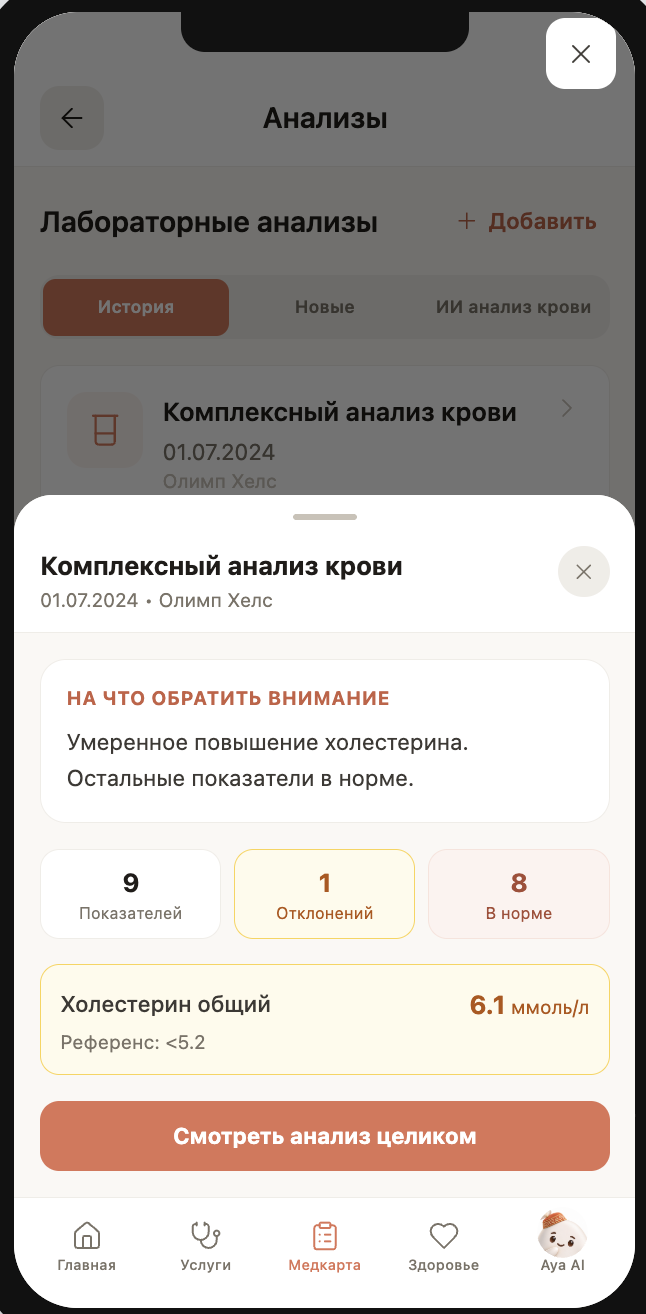
Aya screen showing blood test values
Hover over the imageTap to enlarge

Illustrative interaction

How the AYA assistant helps

You

Explain my blood test and help me prepare for the doctor.

AYA assistant

Open the result in the app. I’ll explain the markers in plain language and help prepare questions for your consultation.

What you get

Useful questions for your visit

What does this marker mean? · How does it compare with my earlier result? · What should I ask my doctor?

What happens next?

Save your questions and choose an in-person or video appointment in AYA. An explanation is not a diagnosis or treatment prescription.

This is an example, not a completed booking, purchase or medical consultation.

What Aya brings you

  1. Clear explanations
  2. Less searching
  3. Questions for your doctor
More about this feature

Arrive with questions.

Explanations of test markers help you prepare for your consultation. Your doctor determines diagnosis and treatment.

CE Medical Device Certificate
HIPAA Compliant
GDPR Compliant

What else Aya can do

About test results

How does Aya explain blood test results?
Upload your results: Aya explains the values in plain language and saves them in your medical record. A doctor interprets them in the context of your health.
Can I discuss low ferritin or haemoglobin?
Aya helps explain what the markers are and prepare questions about your results. A doctor determines the cause of abnormal values, further tests and treatment.
Does a test explanation replace a doctor?
No. Aya's explanations help you prepare for a consultation, but they are not a diagnosis or a treatment prescription.
What determines access and limits?
Your subscription determines access and limits. Compare feature availability on the Subscriptions page. Add-ons are available only on paid plans.

The Aya app

Download Aya

Choose your phone’s app store. The app works in Russian and Kazakh.

For iPhone and Android

Your Aya account

Войти в Aya

Choose your account type

Aya

Website help

What would you like to explore?

Choose a question below. The answer will appear here in the chat.

Choose a question

All questions

Prepared answers based on the website.

Contact Aya

info@aya.kz

All fields are required.